Custom CSS and Global CSS
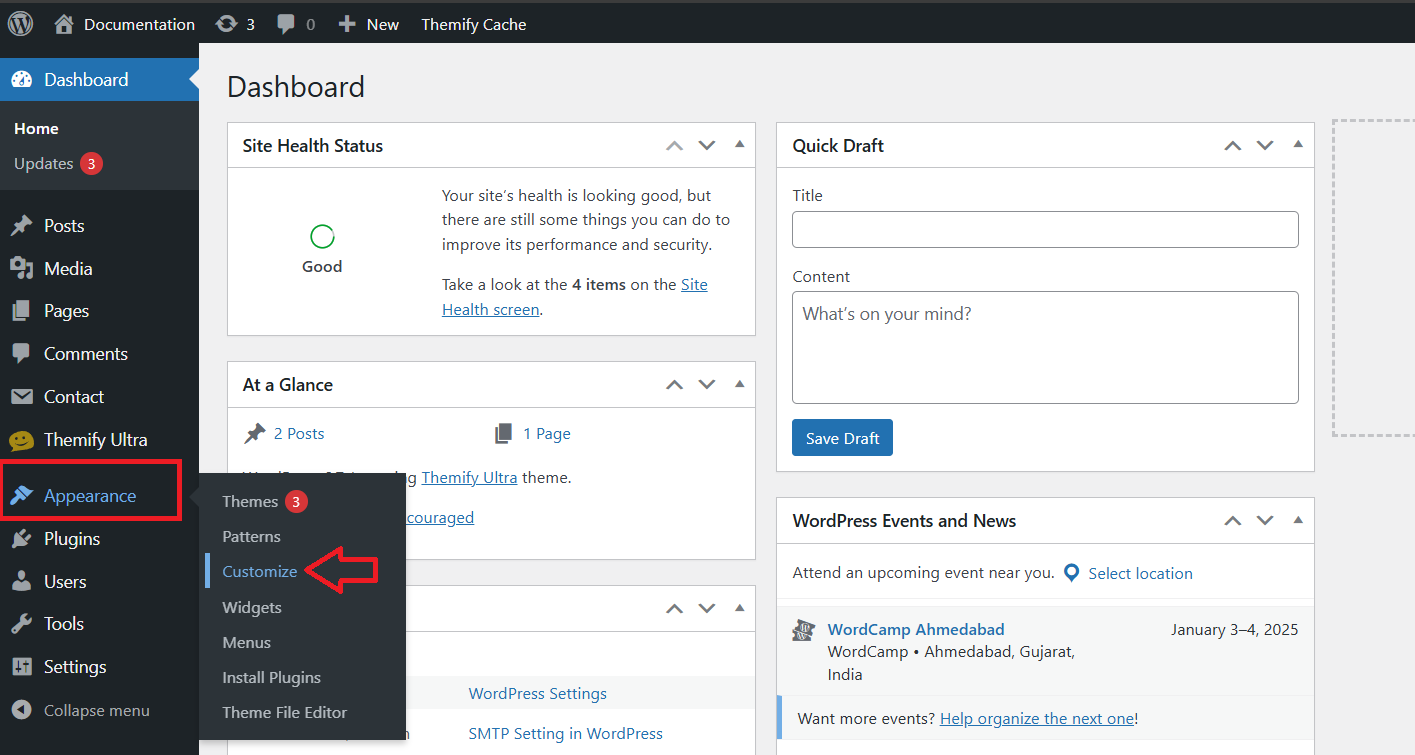
Go to Appearance > Customize
In your WordPress dashboard, click on Appearance in the left-hand menu. Then click on Customize to open the theme customizer.
Theme Options
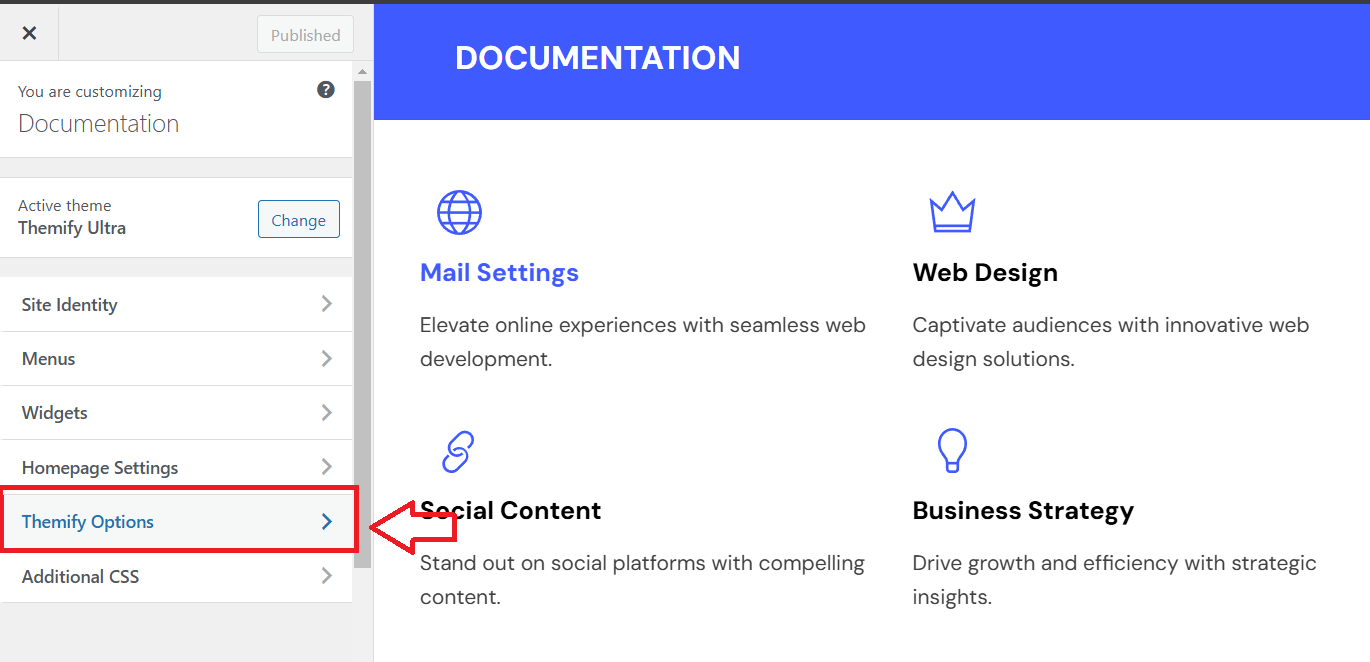
Click on Appearance > Customize, then navigate to Theme Options to adjust settings like layout, typography, and other theme-specific features.
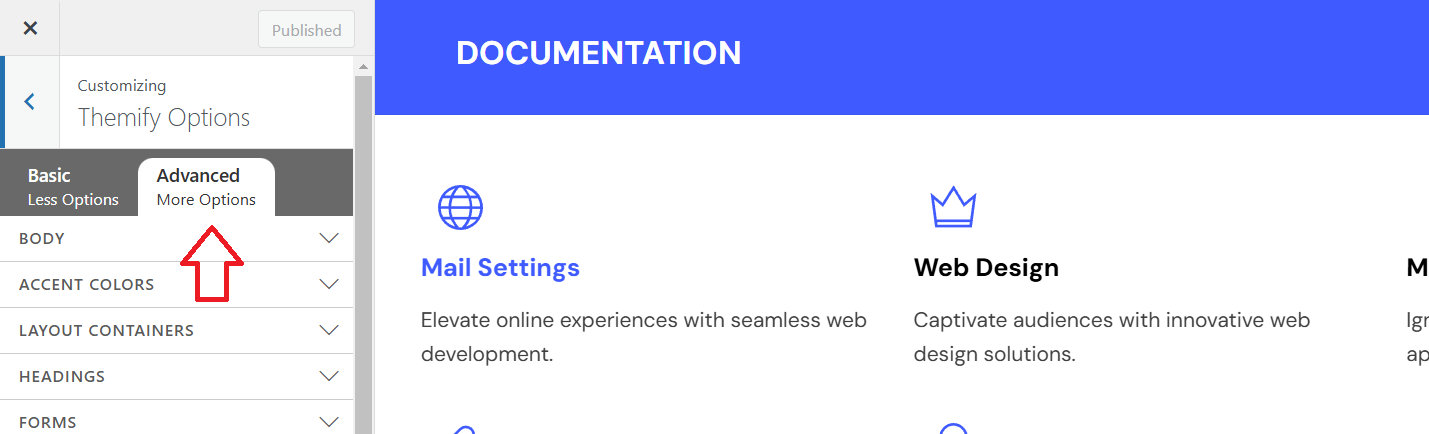
Advanced Options
In the Advanced Options section of the WordPress Customizer, you can find additional settings that allow you to further customize the look and functionality of your website. These options may include:
- Custom CSS: Write custom CSS code to style your website beyond the built-in options.
- Typography: Adjust fonts, sizes, and styles for various text elements on your site.
- Layout: Modify the layout of elements like headers, footers, and sidebars.
- Custom Scripts: Add custom JavaScript or other code snippets to enhance your site’s functionality.
These advanced options provide more control over your site’s design, but require some familiarity with coding if you wish to make detailed changes.
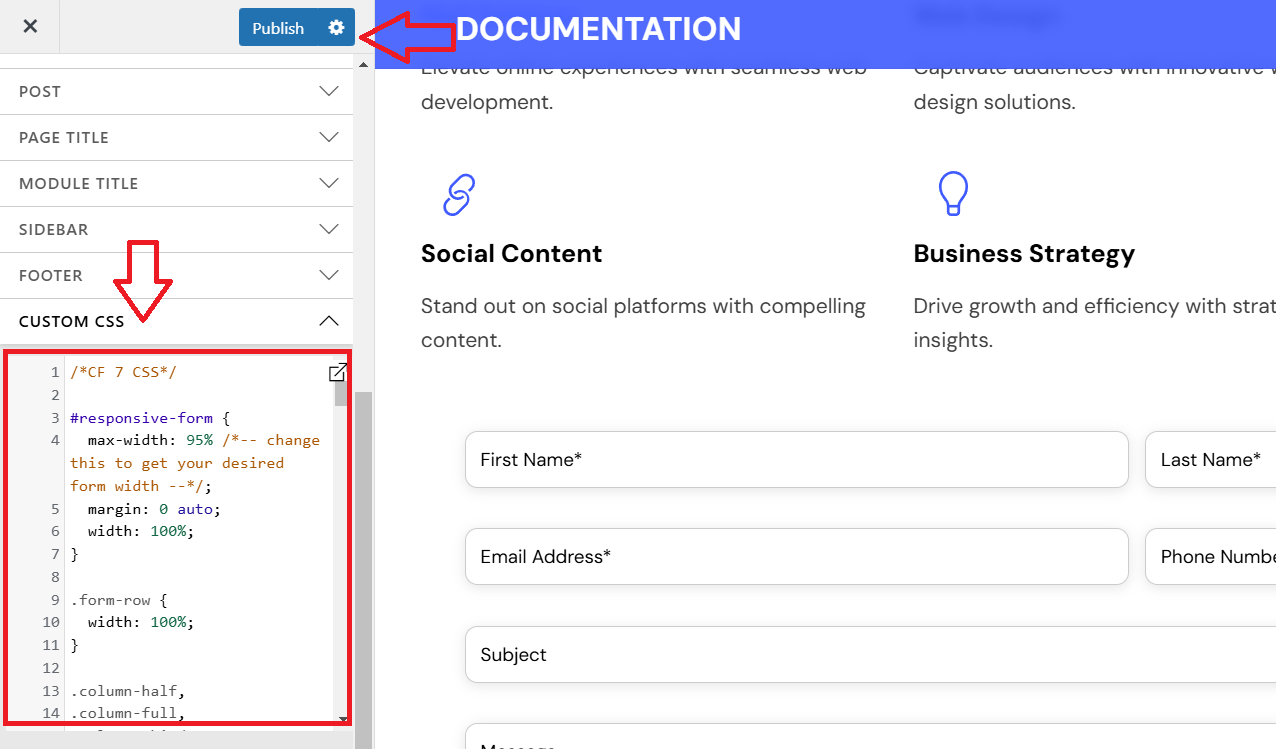
Click on Custom CSS, Edit CSS Code, and Publish
-
Click on Custom CSS: In the WordPress Customizer, navigate to Additional CSS under the advanced options.
-
Edit CSS Code: Enter your custom CSS code in the text area to modify the styling of elements on your site.
-
Publish: After adding your CSS code, click Publish at the top to save and apply the changes to your website.
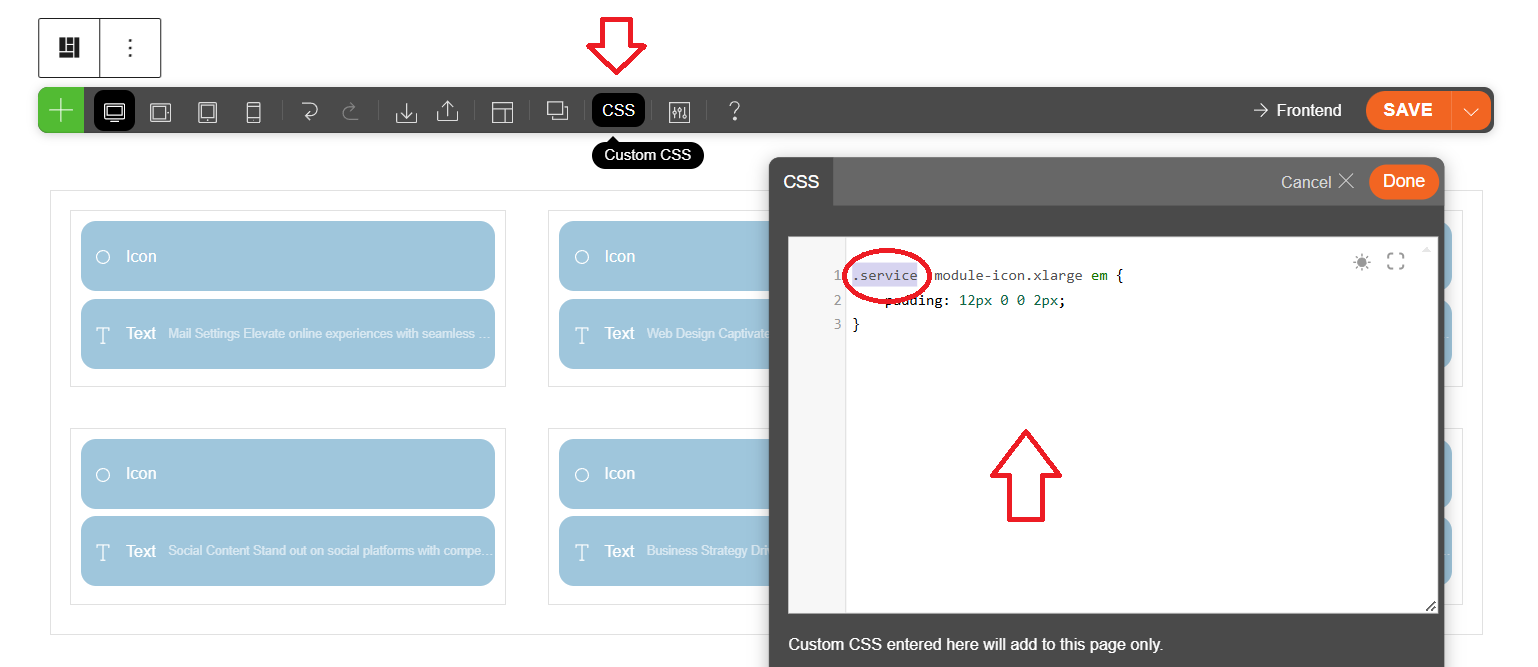
Edit the Page with Custom CSS
-
Click on Custom CSS: Write your custom CSS code by targeting a specific class.
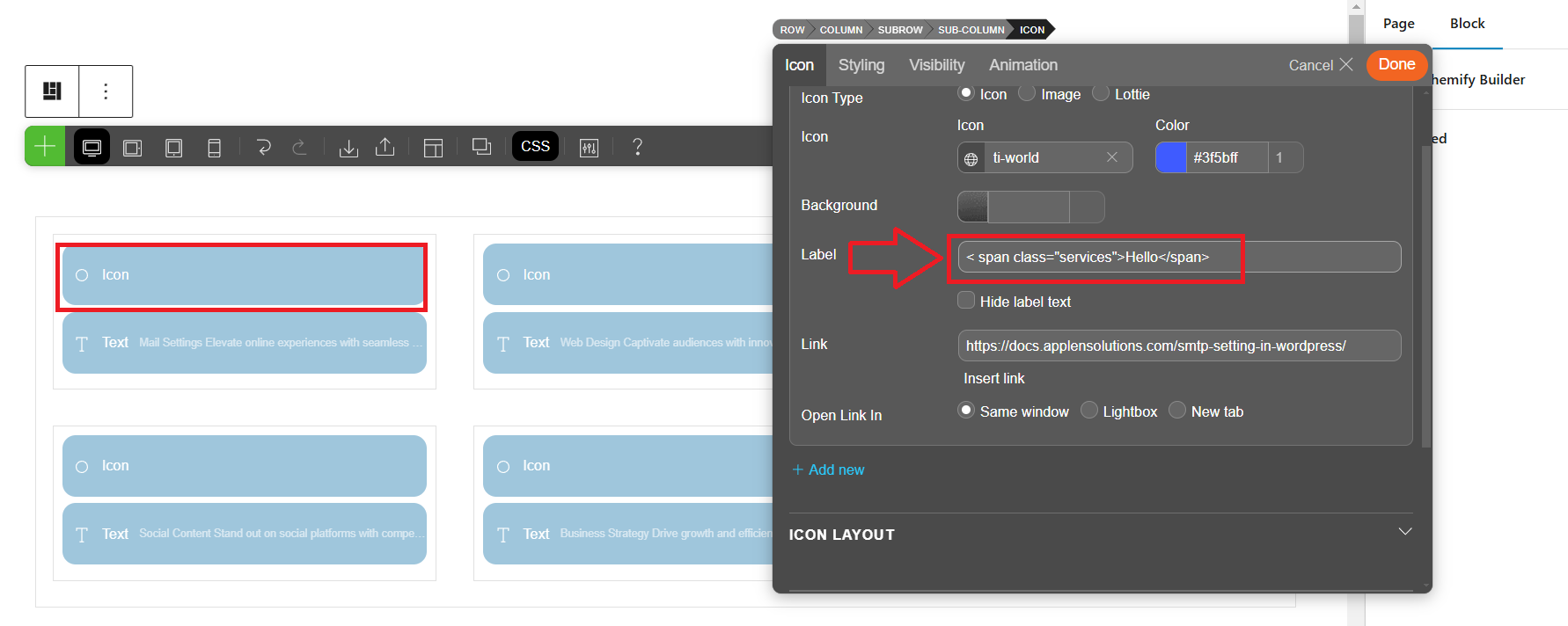
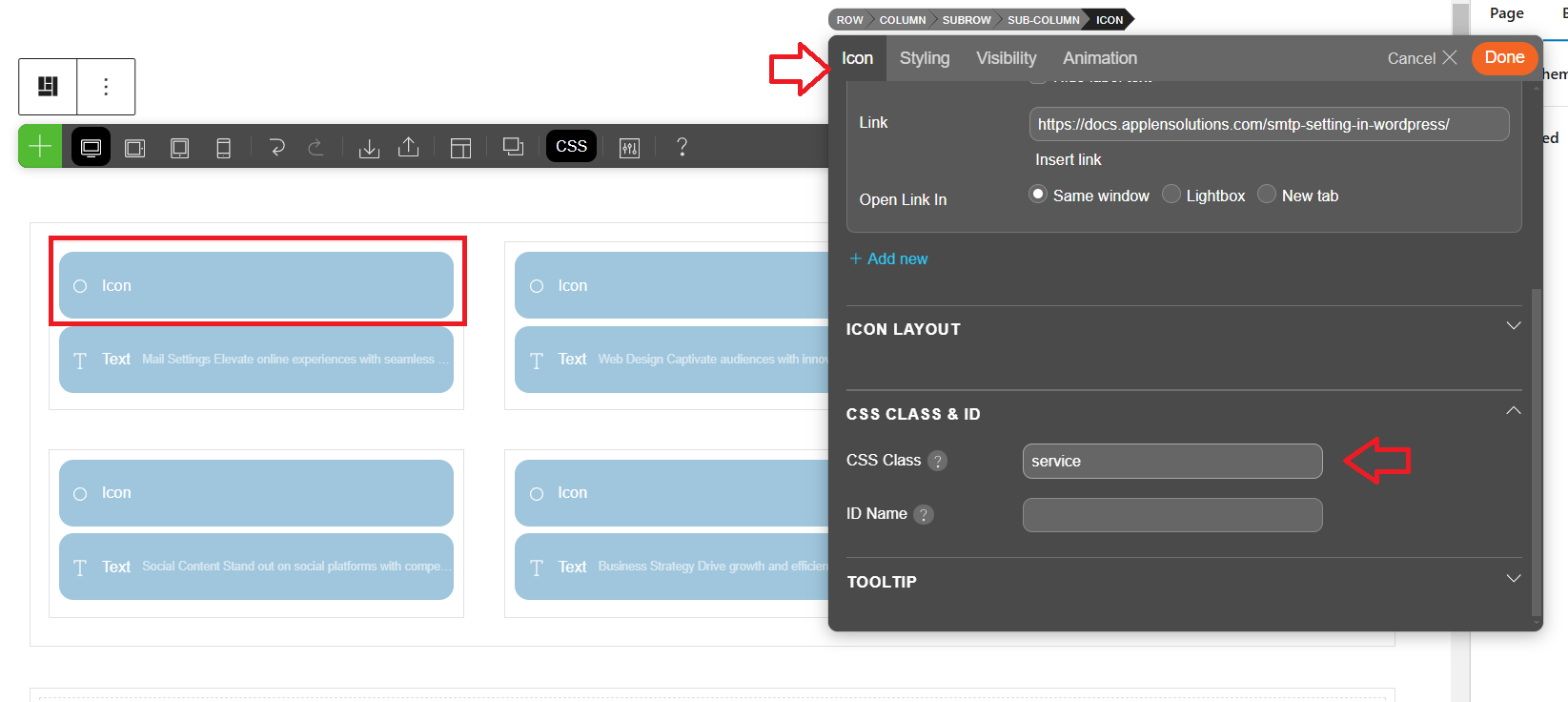
Add the Class in Your HTML or Icon Block
-
Click on the icon, and in the CSS class input field, write the class name to target it.
This means that you should locate the icon element, identify its class (e.g.,
class="icon-class-name"), and then enter this class name in the custom CSS code to apply styling.
Write the class in the label field
-
In the CSS class input field, add the class name to target the specific label. For example, if you’re styling a label, you might use a class like
.servicesin your CSS to apply styles.