
Layout Part
How to Add Layout Parts
-
Go to Themefy Ultra: In your WordPress dashboard, navigate to Appearance and select Themefy Ultra (or the specific theme you’re using).
-
Click on Layout Parts: Once inside the Themefy Ultra options, locate and click on Layout Parts to access the layout customization options for headers, footers, sidebars, and other parts of your website’s layout.
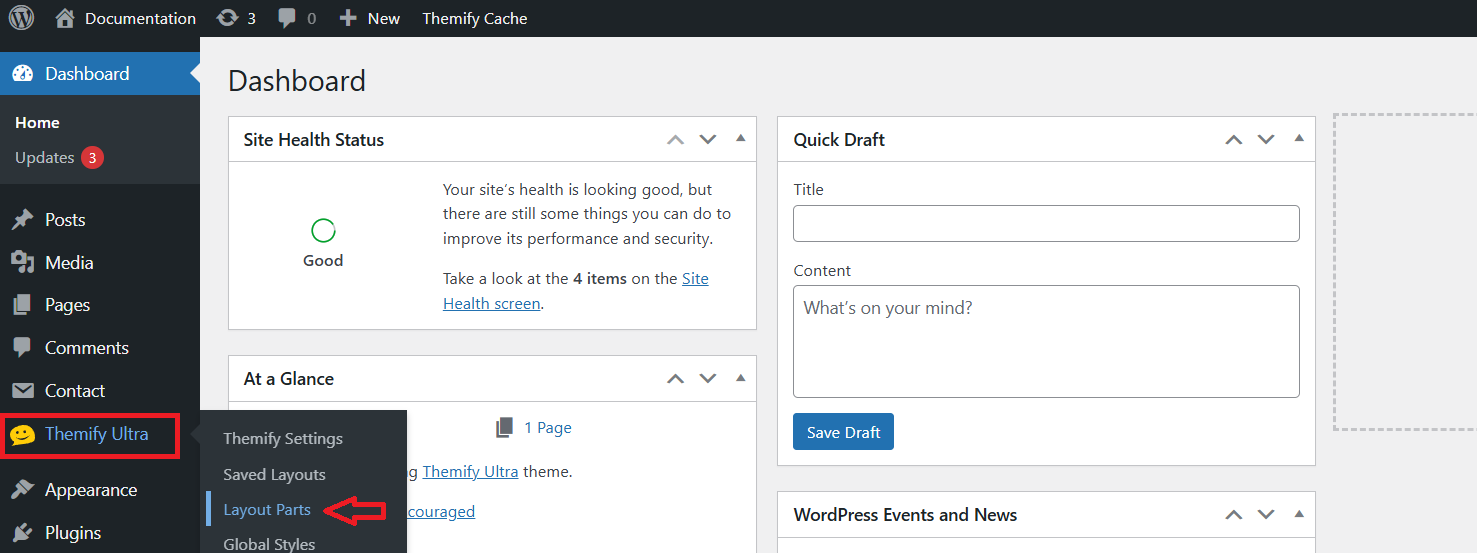
To Add a Layout Part, Click “Add Layout Part”
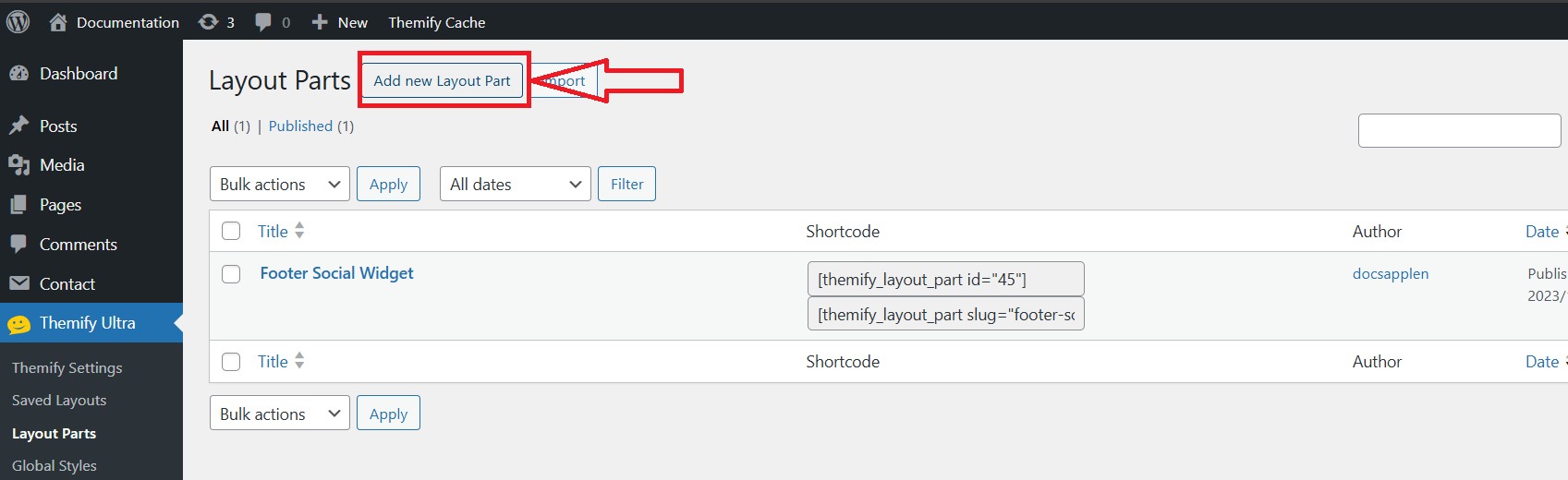
Add Layout Parts
Enter a name for your layout part customize the layout as needed, and then click Publish to save and apply the changes.
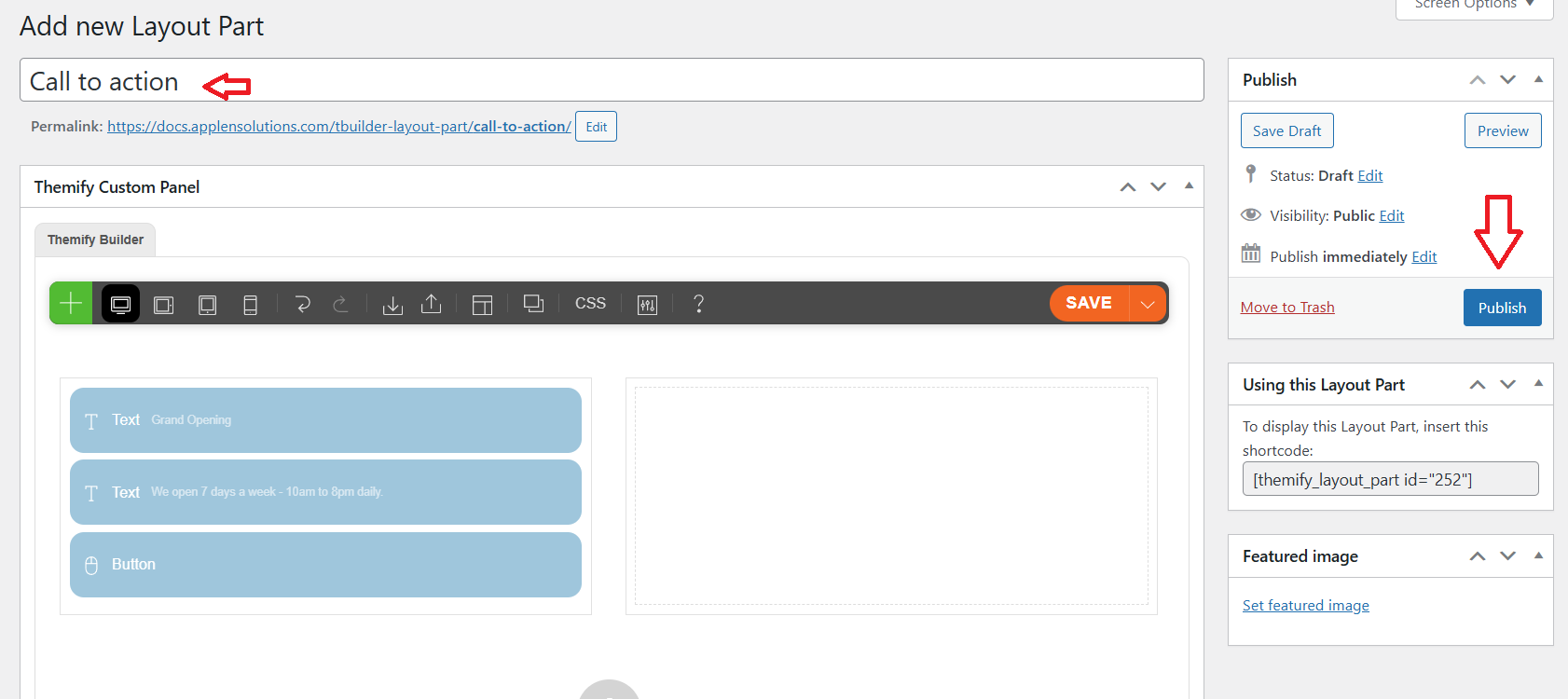
Edit Layout Parts on the Page
In the page editor, search for the module named “Layout Part” or similar in the content blocks or widgets section.
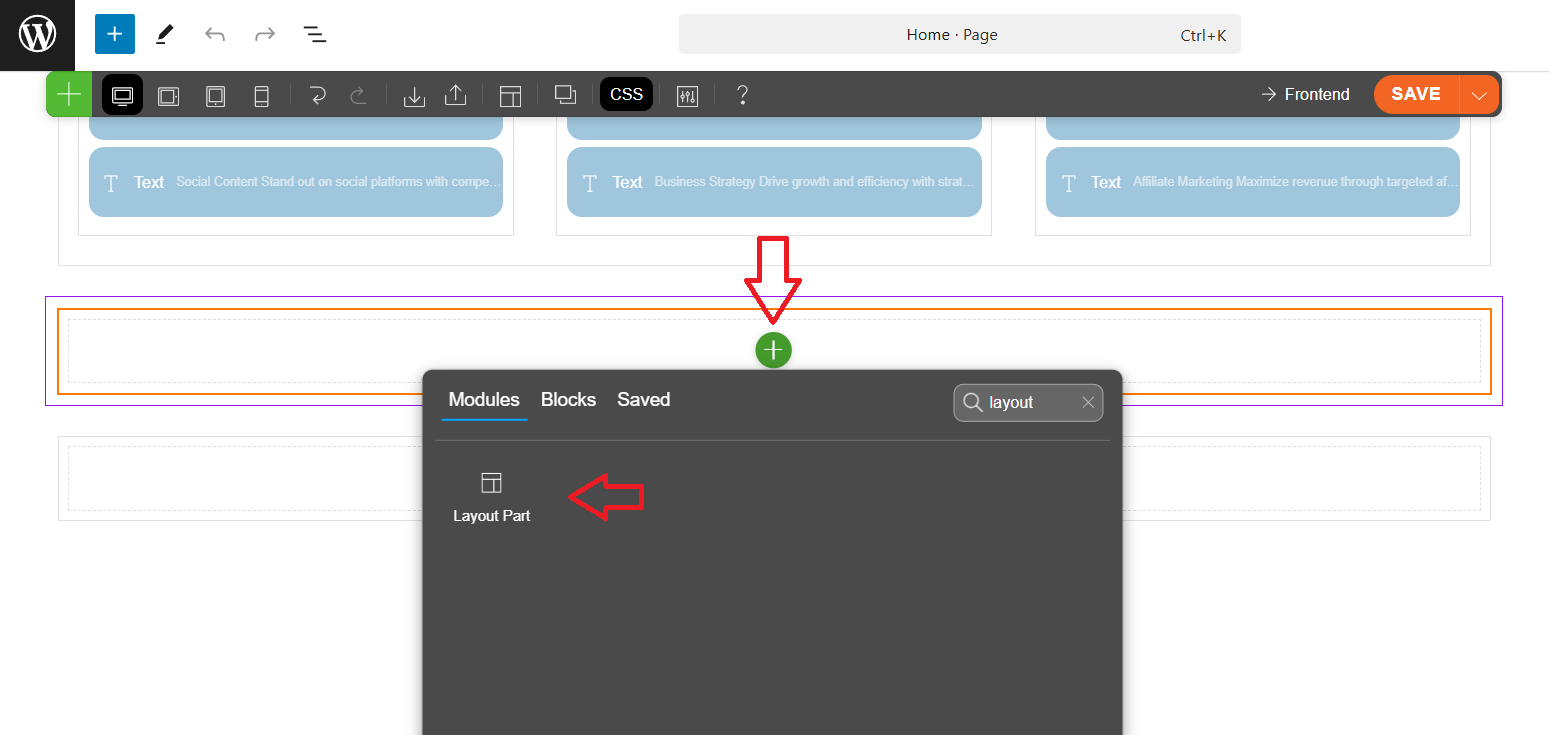
Select Layout Parts Widget in the Page
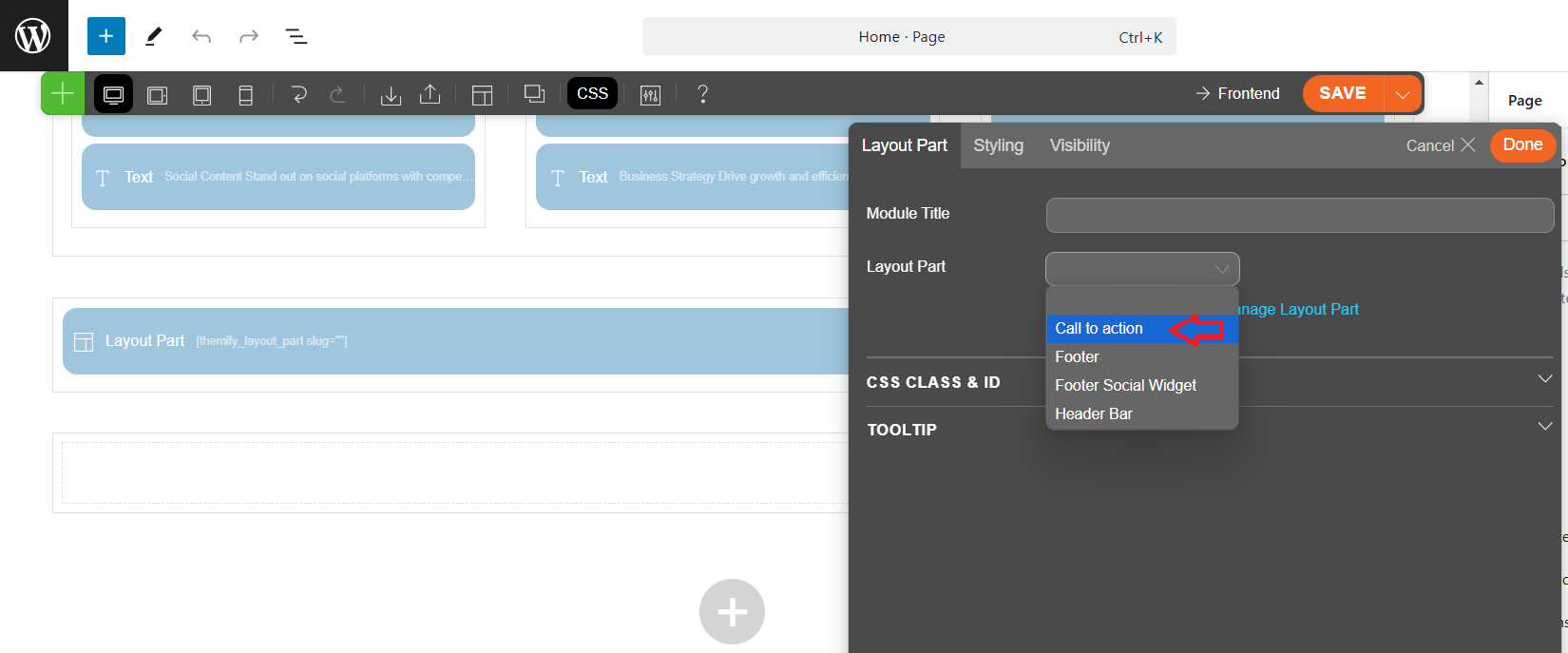
View Page to Edit the Section in Layout Parts

Creating a Fullwidth in row
click the row setting and select the row width as the fullwidth.
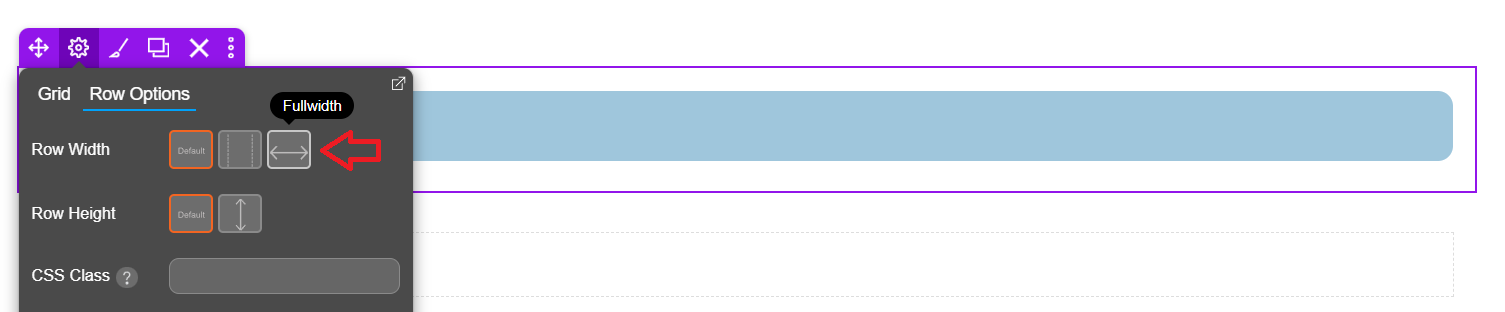
After selecting Fullwidth for the row width, click Save or Update to save the changes, then click Preview to see how the full-width layout looks on the live page.